
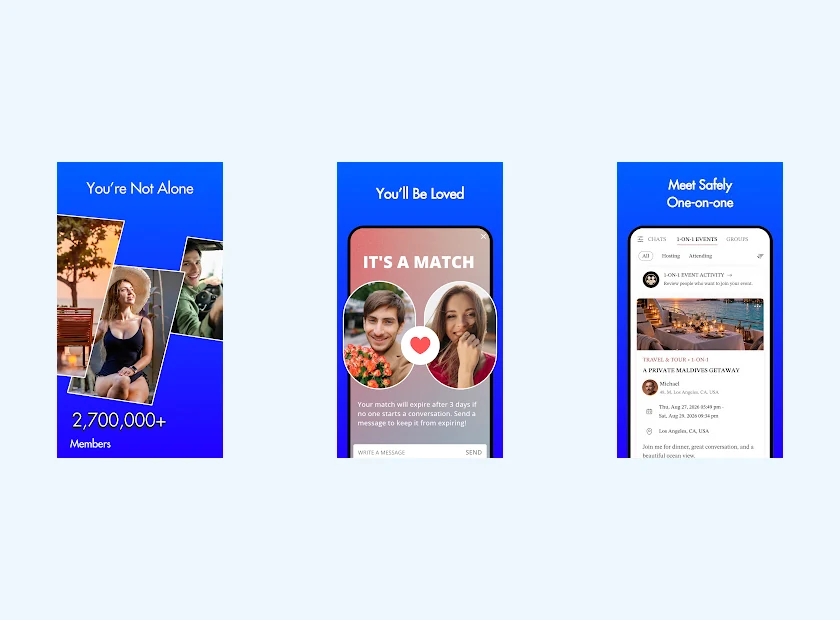
Find PositiveSingles on Google Play
The Google Play listing identifies the Positive Singles app and uses the identifier com.stddating.positivesingles. The Android button on this page leads to the corresponding download path. It is better to start from the official store rather than install a file received by message or presented as a special version.
Google Play tells you if the app is available for your device and account. Android phones differ depending on the manufacturer, system version and distribution conditions. We therefore do not promise universal compatibility based on the Android name alone.
The free download does not remove the differences between Standard and Premium access. You can explore the service before choosing the features that interest you. Our page free access explains in particular the distinction between receiving certain exchanges and being able to initiate conversations more freely.
Build Your Profile in Manageable Steps
On the phone, you can prepare your profile in stages rather than writing everything in one session. Start with a recognizable photo and a phrase that states your intention. Then add a life detail that makes someone ask you a natural question.
Proofread each addition before publishing. Autocorrect can change a name, a city or a sentence in an unexpected way. A short and precise presentation is better than a long text where the suggested words no longer correspond to what you wanted to say.
For a presence in France, specify your area and your languages of conversation. “Located near Lyon, fluent in French and English” provides useful information without giving an exact address. The profile guide shows how to combine this clarity with a personal presentation, rather than just a list of characteristics.
Browse When You Can Pay Attention
A short consultation can be used to read a profile carefully, not just to scroll through images. Choose a detail that really interests you before reacting. You will then have a more natural reason to write than a simple desire to check if someone is available.
Imagine a person who mentions markets and cooking. You can ask her what product she likes to buy right now and then share a personal preference. This conversation is based on a possible daily life, without requiring great originality from the first message.
The first message guide offers several types of openings. On Android, as elsewhere, their interest is to help you find your tone. Avoid copying the same question to each profile when the detail it relates to is not there.
Keep One Account Across Devices
If you already use the site on computer, find your existing account when you open the app. Registering again with a different address can create a separate space and give the impression that your interactions have disappeared. So keep a reliable record of the address used and your login details.
The login guide explains how to recover access when you forget your password. Do not share your password with someone who is offering to solve the problem in a chat. Support should come through official support channels, not another member.
You may prefer the computer keyboard for writing and the phone for responding. The comparison site or application helps you choose according to the task. This flexibility can make use more pleasant without requiring you to stay connected constantly.
Review Android Notifications and Permissions
Android menus vary depending on version and manufacturer. Look at the notification settings and permissions that are actually offered on your device, rather than looking for a single title that would be the same everywhere. Choose what is necessary for your use and understand why a request appears.
A message preview on the lock screen may be convenient in one context and undesirable in another. You can adapt this visibility to your environment. Phone settings and profile settings have different functions: limiting a preview does not automatically change what other members see in the service.
For your photos, pay the same attention to content as you do to permissions. An image may show an address or a person who has not agreed to appear. The security guide helps you connect technical settings to these concrete publishing decisions.
Track Purchases and Return to Your Conversations
If you choose a paid feature, identify the billing channel before confirming. Keep the receipt and read the duration and renewal terms. For a purchase processed by Google Play, the Google account concerned will allow you to find the corresponding information; a purchase made elsewhere requires monitoring of this other channel.
The prices page provides published price references, without transforming an amount from another platform into a guaranteed Android price. What matters is the offer displayed for your own account at the time of purchase. An uninstallation of the app should not be used as proof of stopping a subscription.
When the installation and settings suit you, devote your attention to the people. A sincere introduction, a specific question and a respectful pace of response provide a simple basis for discovering whether a connection can become a meeting.
Check Settings After Changing Phones
On a new Android phone, start by finding your existing account. Then review notifications: settings on the old handset do not necessarily describe what is visible on the new one. If a purchase appears to be missing, locate the receipt and the Google account used for that transaction before repeating the purchase. Keeping the dating account and the billing account distinct makes a support request easier to explain.
Check your own profile once you are signed in. If it looks unfamiliar, stop and confirm the account address rather than immediately adding the same photographs again. A second registration can make an account problem harder to understand.
Product sources: PositiveSingles HelpGoogle Play