
Open the Correct PositiveSingles Login
The login button takes you to the PositiveSingles.com login page. Check the domain in the address bar before entering your credentials. PositiveSingles.fr does not ask you for a password and does not offer a form that copies that of the main service. Your exchanges and your account remain accessible in the service where you registered.
If you've been using a bookmark you've saved for a long time, make sure it still takes you to the right site. An Internet search may bring up news pages, advertisements, or other areas that talk about the brand. The name in a page title is not enough to identify where to enter your password.
| What you see | First check |
|---|---|
| Password rejected | Account email, then official password recovery. |
| No reset email | Correct inbox, spam folder and filtering rules. |
| Unfamiliar profile after signing in | Which account and email address you used. |
| Missing paid feature | Receipt and purchase channel, separately from login. |
Recover an Existing Account First
If you have already created a profile, try to regain this access first. A new registration may disperse your information, your conversations and your possible purchases. It doesn't automatically restore conversations from the previous account and may make it harder to understand your situation when contacting support.
Start by identifying the address originally used. Look at welcome messages or support exchanges in your personal inboxes, without forwarding these messages to someone who asks you in a dating conversation. You are looking for a useful reference for yourself, not evidence to share with a member.
If you have never created an account, the registration page meets your needs. Login and profile creation are two different actions. Distinguishing them makes it possible to avoid interpreting a refusal of access as a service problem when no account yet exists with the address entered.
Reset a Forgotten Password
Use the “Forgot Password” feature on the login screen when you can no longer remember your password. The official help states that a reset link is sent to the registered address. You will therefore need to access this email. Recovery does not involve asking another member to verify your identity.
Type your address carefully, then check your inbox and spam folders. If multiple requests have been initiated, an old email may no longer be the best place to start. Avoid opening several procedures in parallel before checking the messages received.
Then choose a new service-specific password. Do not communicate it by email or in a chat. If a message asks you to transmit your password directly rather than resetting it on the official domain, interrupt this process and use the help accessible from the main service.
If the Recovery Email Does Not Arrive
First check that you are looking at the correct inbox. A typo, an old address or an account created with a secondary email account is enough to explain many apparent failures. Look for the name of the service in your previous messages to find a clue to the address actually used.
Then look at the spam folders, filtering rules and the space available in your mailbox. Wait a reasonable amount of time before requesting a message again. Very close requests can make their order of arrival difficult to understand. Keep the most recent procedure as a benchmark rather than trying each link indiscriminately.
If you no longer have access to your old email, the classic reset may not be enough. Then contact main service support explaining the problem. Transmit the requested information through the official support channel, carefully, and do not spontaneously send a complete personal file. Our contact page separates editorial help from account-related questions.
Check Where Your Session Is Open
On a shared computer, don't assume that closing a tab closes your session. Log out when you're finished and avoid saving your credentials in a browser used by multiple people. This precaution also concerns notifications and message previews which may remain visible outside the open page.
On your personal device, a screen lock limits casual access. It does not override account settings, but protects the context in which you use them. Also consider which devices are synced: a notification may appear on another screen or in a preview that you didn't have in mind when you signed up.
To organize your discretion beyond the connection, the safety guide brings together decisions relating to the profile, photos and exchanges. Here, the objective remains simple: know where your session is open and who could see the screen.
Return to Conversations on Your Phone
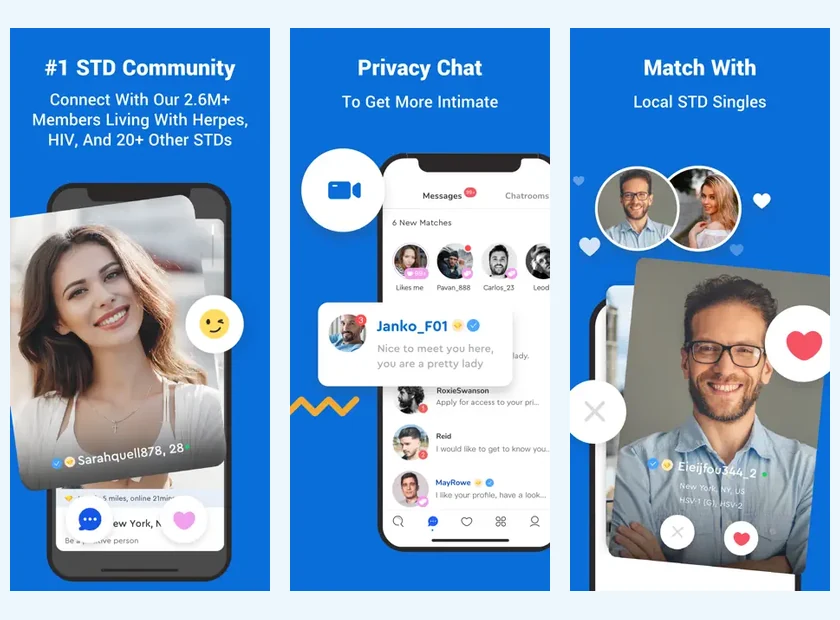
Using an app can make returning to messages more convenient, but it does not exempt you from storing your login details correctly. If you change your phone, take the time to recognize the app and its publisher in the official store. Do not install a file received from a contact that claims it is necessary to continue a conversation.
The pages PositiveSingles on iPhone and PositiveSingles on Android offer access to the corresponding platforms. After installation, choose the sign-in option for existing members if you already have an account. Creating an additional account can make your conversations appear to have disappeared, when you have simply entered another space.
If the site works but the app doesn't, note this difference before contacting support. The device, system version, and error message can help describe the problem. Do not systematically erase all your data before you understand what you want to recover.
Separate Login, Billing and Account Deletion
Being able to log in alone doesn't tell you which subscription is active. Likewise, deleting an app does not necessarily mean ending a subscription. If your question concerns billing, identify the purchase channel and find the corresponding receipt rather than searching only in the phone settings.
The pricing and subscription page explains channel differences and what to check before renewing. For an account deletion request, use the main service functions or support. PositiveSingles.fr cannot perform this operation on your dating account.
This separation avoids unnecessary steps. A password problem is handled by access recovery; a payment question requires transaction information; a deletion request concerns the data and the profile. Putting them together in a very vague message often makes the answer less direct.
Pick up a Conversation After a Break
When you find your account, you can come back with a simple sentence rather than a long justification. “I have been less present in recent days, but I appreciated our exchange on music. How are you?” provides context without requiring the conversation to immediately return to the same level.
Reread a few messages before responding to find the thread and respect what had already been said. If the other person no longer responds, do not repeat the reminders. Your return may be welcome, but their availability may have changed. A thoughtful return leaves room for that possibility.
You can also use this return to your account to update your profile and your availability. A recovered account is an opportunity to resume exchanges that suit you today, without having to reproduce exactly the way you used the service before.
Explain an Access Problem Clearly
If you need support, distinguish between a rejected password, a missing reset email and an account that opens but looks unfamiliar. Write down the time and the wording of the error without including your password. Say whether you were using the website, iPhone or Android, and whether the problem happens each time. These details help support investigate the right issue.
A billing receipt may help with a subscription question, but it is not a password. Do not paste full payment details into an ordinary message. Use the official support channel and provide only the information it needs. When access is restored, check the account details before sending new messages so that you know you are using the intended profile.
Product sources: PositiveSingles Help